When someone in Burlington searches for a plumber, a dentist or a place to get their hair done, they usually glance at a handful of results and pick one. If you run a local business, your goal is simple: be one of those results, and look like the right choice when you are. This guide covers what a Burlington small business website needs so customers across Halton find you, trust you and get in touch.
How local search works
Google explains that local results are based mainly on three things: relevance, distance and prominence. It also states plainly that there is no way to request or pay for a better local ranking. What you can do is give Google accurate, complete information and give customers reasons to trust you (Google Business Profile Help).
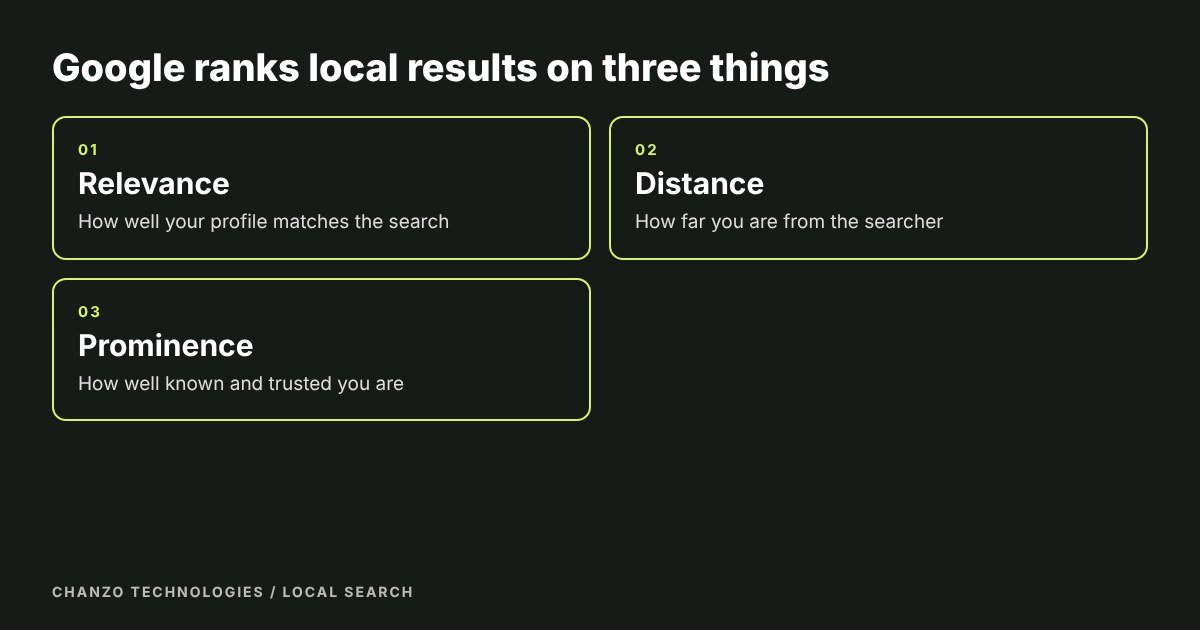
That is good news for small businesses. Relevance and prominence are within your control, and distance helps whenever the searcher is nearby. The rest of this guide is a practical checklist.
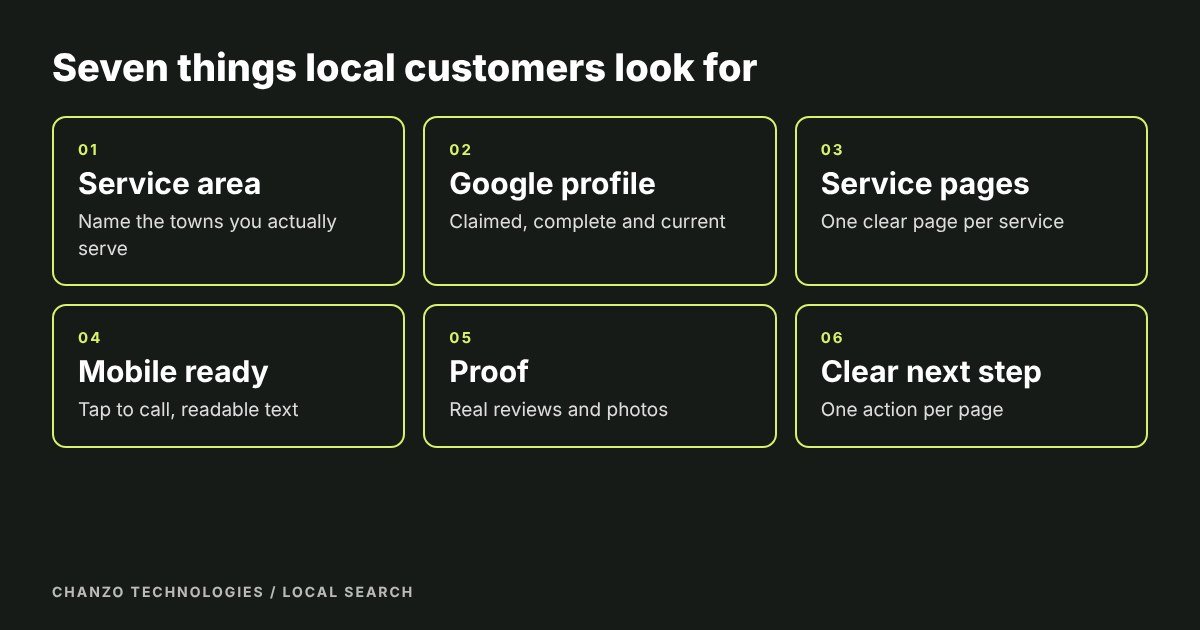
1. Say where you work, clearly
Put your service area in plain words on your home page and contact page: Burlington, Oakville, Milton, Hamilton, Georgetown or wherever you actually serve. Include your business name, phone number and hours, and an address if customers visit you. Use exactly the same details everywhere online, because mismatches confuse both customers and search engines.
If you serve several towns, consider a short section or page for each main area, written for real. Avoid copying one page and swapping the town name. Duplicate pages add no value and can look like spam.
2. Claim and complete your Google Business Profile
Your Google Business Profile is the free listing that appears in map results and the local panel. Claim it, verify it and fill it in completely: business categories, hours, services, a short description, your website link and photos of your work and premises. Google’s own guidance recommends keeping the profile accurate, responding to reviews and adding photos. Update your hours for holidays so nobody turns up to a locked door.
For many local businesses this one listing brings in more calls than the website does. The two work together, because the profile gets people to look and the website closes the decision.
3. Give every service its own page
If you offer three services, build three pages. A page that matches what someone typed into Google is easier to rank and easier to trust. Each service page should say who it is for, what is included, how it works, what it costs or how pricing works, and how to book. Include a few real questions that customers ask and answer them directly.
We cover this in detail in how to write a service page, and our web design and development work builds these pages into every site.
4. Make it work on a phone
Most local searches happen on a phone, often when the person is out and needs something now. Check that text is readable without zooming, buttons are easy to tap and your phone number is one tap to call. Google also indexes the mobile version of your site first, so a poor mobile experience can hurt your visibility as well as your sales (Google Search Central).
Speed matters too. Large uncompressed images are the most common reason a small business site loads slowly.
5. Show proof
Real reviews, photos of your work and short case studies do more than any slogan. Ask happy customers for a Google review at the moment they are happiest, usually right after a job is done, and reply to every review, good or bad. Use only genuine reviews and photos, and get permission before showing a customer’s name or project.
6. Make the next step obvious
Every page should lead to one clear action: call, book or request a quote. Keep forms short and ask only what you need to reply. A visitor who has to hunt for how to contact you will often go to the next result instead.
7. Set up the basics for search
- Titles and descriptions. Each page needs a unique, clear title and meta description.
- A sitemap. Submit it in Google Search Console, which also shows how your site performs in search and flags problems.
- Image names and alt text. Describe what the image shows. It helps accessibility and search.
- Secure, fast hosting. Use https and keep pages light.
- Clean structure. One main heading per page, with logical subheadings.
Google’s SEO Starter Guide is a free, readable reference for all of these. It is also candid that no tactic guarantees a top ranking, which is worth remembering when anyone promises one.
A quick local checklist
- Google Business Profile claimed, verified and complete
- Service area stated on the site
- One page per service
- Phone number tappable on mobile
- Real reviews or case studies
- One clear call to action per page
- Titles, descriptions and sitemap in place
- Same name, address and phone number everywhere
Common mistakes we see
- No service area stated. Customers cannot tell whether you serve them.
- An unclaimed or out-of-date profile. Wrong hours cost you customers and reviews.
- One page for everything. It is hard to rank and hard to read.
- Stock photos only. Real photos of your work build trust faster.
- Ignoring reviews. Unanswered reviews look like an unattended business.
How long does it take to see results?
Improvements to your Google profile can show up within weeks. Search ranking for a new or rebuilt website usually takes longer and depends on competition, content quality and how consistently the site is looked after. Be wary of anyone who promises a timeline or a position. A steady routine of accurate information, new pages and fresh reviews is what builds results over months.
Frequently asked questions
Do I need a website if I have a Google Business Profile?
Yes. The profile gets people to notice you, and the website gives them the detail to choose you. A Burlington small business website also gives you pages to rank for each service and a place to send every ad and listing.
How do I get more Google reviews?
Ask, at the right moment. Send customers a direct link right after a job is finished, keep the request short and reply to every review you receive. Never offer payment for reviews or write fake ones.
Should I write separate pages for Oakville, Milton and Hamilton?
Only if you genuinely serve those areas and can say something real about each. Thin pages that swap the town name add nothing. One strong service area section is better than five weak pages.
How often should I update my website?
Update it whenever your services, hours or contact details change, and add new content regularly. Fresh pages, new photos and recent reviews tell customers and search engines that the business is active.
Can I do this myself?
Many owners can handle the profile and reviews. The website structure, speed and search setup are where a studio saves you time. Start with the checklist above and decide where you want help.
Need a hand?
Chanzo Technologies is a small business digital agency based in Burlington. We build websites for local businesses and look after them afterwards. Contact us and tell us what you do, read about our search engine optimization services, or see how our website plans compare.