
A service page is often the page a potential customer reads right before deciding to get in touch. It deserves more care than any other page on your site. If you are wondering how to write a service page that works for both people and search engines, the answer is a clear structure, plain language and honest detail. This guide walks through it step by step, with examples you can adapt.
What a service page is for
A service page has two readers. The first is a person who is comparing options and wants to know whether you can help, how it works and what happens next. The second is a search engine or AI assistant trying to work out what the page is about and which questions it answers. The good news is that the same qualities serve both: clarity, specifics and an honest tone. Google’s own advice is to create helpful, reliable content written for people first (Google Search Central).
1. Start with a plain definition
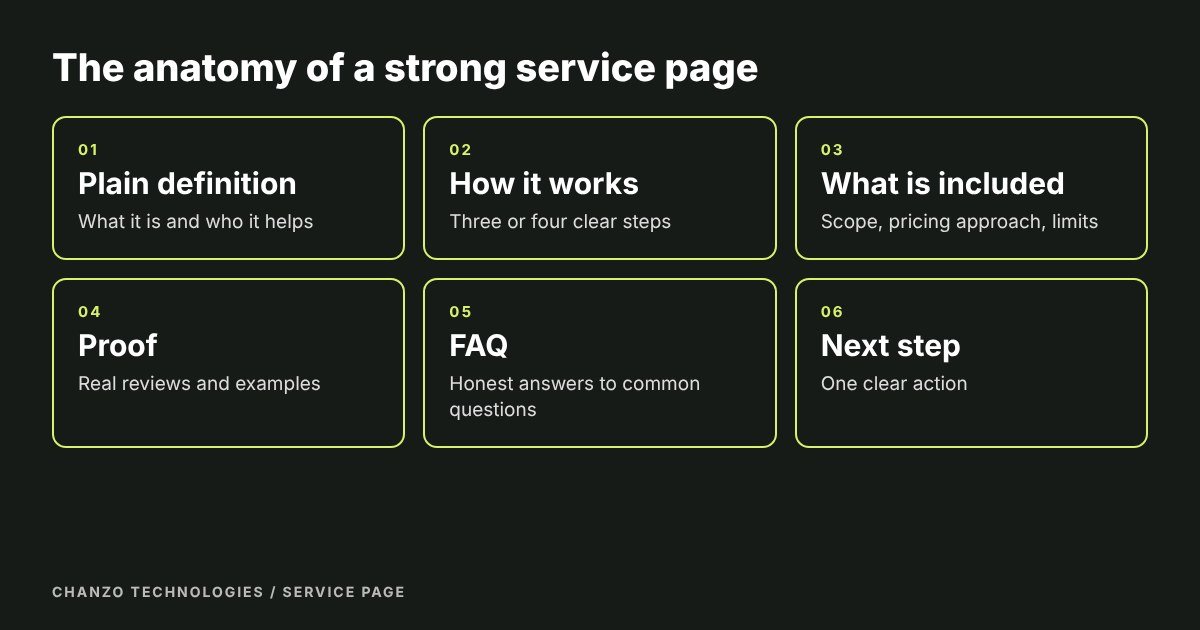
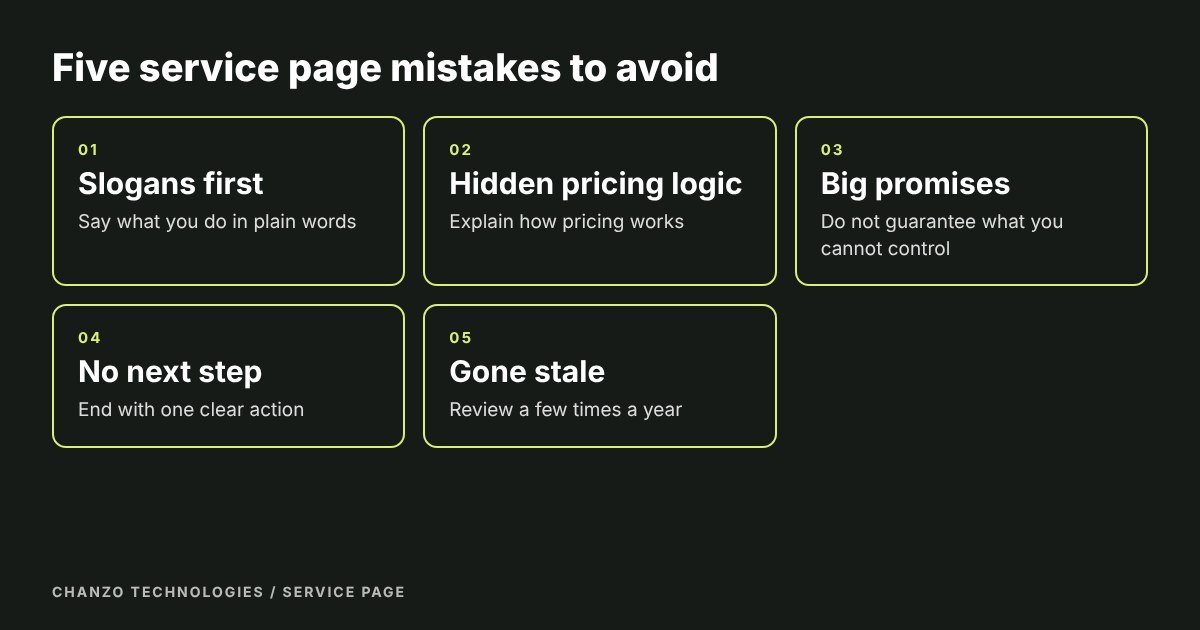
In the first paragraph, say what the service is and who it helps, in words your customer would use. Avoid jargon and slogans. This is also the sentence search engines and AI assistants are most likely to understand.
Weak: “Elevating your home’s comfort through innovative solutions.”
Stronger: “We repair and replace furnaces for homeowners in Burlington, Oakville and Milton, with same-week appointments for most repairs.”
Include your service area and the main phrase customers search for. It should appear naturally in the opening, the title and one heading.
2. Explain how you work
Describe the main parts of the service and what the customer can expect. A short list of three or four steps builds confidence because it shows there is a process. For example: a quick call to understand the problem, a written quote, the work itself, and a follow-up check. Add rough timings where you can.
3. Say what is included, and what is not
Customers worry about surprises. State what the service covers, how pricing works (a fixed price, an hourly rate, or a quote after an assessment) and any common extras. You do not need to publish every price, but explaining how pricing is decided removes a major source of hesitation. If cost is a common question for your industry, a separate guide can help, like our article on what a small business website costs in Ontario.
4. Answer the questions people ask
List the real questions you hear before a sale, such as timing, what is included and what you need from the customer. Answer each one honestly in a few sentences. If something depends on the project, say so and explain why. Questions written as headings help readers scan and help systems that look for direct answers. We cover that approach in what is answer engine optimization.
5. Show proof
Real reviews, photos of finished work, short case studies and recognised credentials do more than any slogan. Use only genuine ones, with permission, and place them near the point where a visitor needs reassurance, not only on a separate testimonials page.
6. Be careful with promises
Avoid guaranteeing results you do not control. Explain what you will do and how you will measure progress instead. This protects you legally and makes you more credible, because customers have heard too many empty guarantees. Be equally careful with pricing claims such as “free” or “from”: show the conditions next to them.
7. Make the next step obvious
Finish with one clear action, such as a button to send a message or call. Repeat it if the page is long. Keep any form short and ask only for what you need to reply. Make your phone number tappable on mobile.
8. Set up the page for search
- Title: include the service and place, in about 60 characters.
- Description: one honest sentence on what the page offers, about 120 to 156 characters.
- Headings: one main heading, then logical subheadings.
- Internal links: link to related services and to your contact page.
- Images: real photos with descriptive alt text.
- Structured data: Service and FAQPage markup can label the content for machines (Google’s introduction).
Our search engine optimization work covers this for every service page we build.
Examples for different kinds of business
The structure stays the same, but the details change with the industry:
- Trades and home services: lead with the service area, response time and licences, and explain the quote process.
- Clinics and personal services: explain what a first visit involves, who it suits and how to book.
- Professional services: show the process, what documents you need and typical timelines.
- Restaurants and shops: focus on hours, menus or products, location and easy ordering.
Whichever you choose, knowing how to write a service page comes down to answering what a nervous first-time customer wants to know, in the order they want to know it.
A service page template you can copy
- Title and one-sentence definition with the service area.
- Who it is for and the problems it solves.
- How it works, in three or four steps.
- What is included, how pricing works and what is not covered.
- Proof: reviews, photos, case study.
- FAQ with four or five real questions.
- Clear call to action and contact details.
Keep it current
Review each service page a few times a year. Update details, add new questions and remove anything that no longer applies. A page that reflects how you really work today outperforms a beautiful page that is out of date.
Frequently asked questions
How long should a service page be?
Long enough to answer the questions a buyer has, usually 500 to 1,000 words for a typical local service. Add length only when it adds useful detail.
Should I have one page for all my services?
Separate pages are usually better. A page about one service can be specific and is easier to rank for that service.
Do I need to list prices?
Not always, but explain how pricing works and what affects it. Visitors who understand the pricing approach are more likely to enquire.
How many keywords should I use?
Focus on one main phrase and write naturally. Repeating a phrase unnaturally reads badly and does not help.
How do I know if the page works?
Track visits, form submissions and calls to that page. If people arrive but do not enquire, improve the opening, the proof or the call to action.
Want us to write yours?
Chanzo Technologies is a small business digital agency in Burlington, Ontario. We write and build service pages as part of every website. See our web design and development work, or contact us to talk about your pages.