Launch day is easier when the important checks are done in advance. A website that goes live with broken forms, missing titles or placeholder text costs you customers in its first week, which is when you most want a good impression. Use this website launch checklist as a final review before you go live. It is written for small business owners and works whether you built the site yourself or hired a studio.
Why a launch checklist matters
Most launch problems are small and avoidable: a contact form that sends to the wrong inbox, a page still blocked from search, a phone number that is not tappable. They are easy to miss when you have looked at the same pages for weeks. A checklist turns a vague “I think we are ready” into a clear list of things you have actually tested.
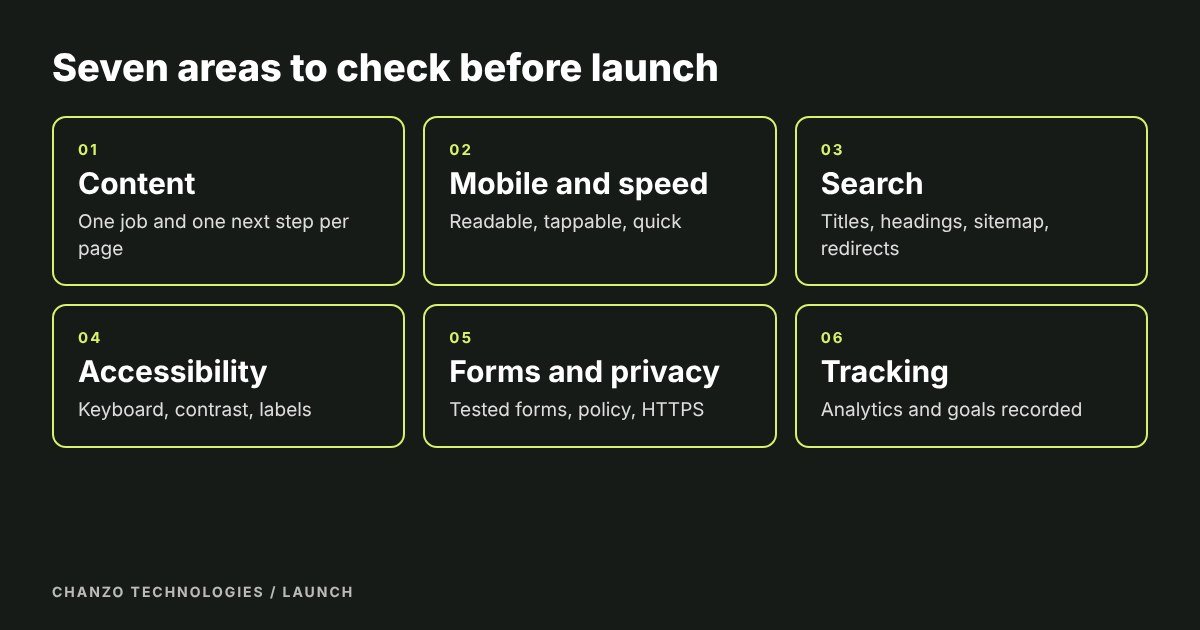
1. Content and purpose
- Every page has one clear job and one obvious next step.
- Your services, contact route and key facts are stated plainly.
- Placeholder text, test pages and unused sections are removed.
- Names, phone numbers, addresses and opening hours are correct and match your Google Business Profile.
- Spelling and grammar are checked, and pricing statements are accurate and include the currency and tax.
If a service page feels thin, see how to write a service page before you launch.
2. Mobile and speed
- Pages are comfortable to read and tap on a small phone.
- Images are sized sensibly and the page feels quick on a mobile connection.
- There is no sideways scrolling at any screen width.
- Your phone number and main button are easy to tap with a thumb.
This matters for search as well as for visitors. Google ranks and indexes sites using their mobile versions, so what a phone sees is what counts (Google Search Central).
3. Search visibility
- Each page has a unique title and a short, honest description.
- Headings follow a logical order, with one main heading per page.
- Images have descriptive file names and alt text.
- A sitemap exists and is submitted to Google Search Console and Bing Webmaster Tools.
- The site is not set to “discourage search engines”, which is a common leftover from the build.
- Old addresses redirect to new ones if you are replacing an existing site.
Google’s SEO Starter Guide explains each of these in plain language. If you want a deeper plan, our search engine optimization service builds on this base.
4. Accessibility
- You can use the whole site with a keyboard alone.
- Text has enough contrast and images that carry meaning have descriptions.
- Form fields have visible labels.
- Video and audio have captions or transcripts where needed.
The W3C’s Easy Checks are a free, non-technical way to review these. We list five of them in five quick accessibility checks.
5. Forms, privacy and trust
- Send a test message through every form and confirm it arrives where you expect it.
- Check that the confirmation message or thank-you page appears.
- A privacy policy is linked from the footer.
- The site uses HTTPS with no browser warnings.
- Real reviews, photos or examples of your work are on the site, with permission where needed.
- Cookie or consent notices, if you use analytics or advertising tags, work as intended.
6. Tracking and measurement
- Analytics is installed and records visits on the live site.
- Form submissions and phone taps are tracked as goals or events.
- Your site is verified in Google Search Console.
- You know where leads will be recorded, so you can tell which pages bring enquiries.
7. Technical basics
- Backups are set up and you know how to restore one.
- Software, themes and plugins are updated.
- Admin accounts use strong, unique passwords, and former contractors no longer have access.
- You know who owns the domain and when it renews.
- A custom 404 page helps visitors who land on a missing address.
Not sure what your hosting and upkeep should cost? Our guide to small business website costs in Ontario breaks it down.
Common launch mistakes
Almost every rushed launch repeats the same few errors, so use this website launch checklist to look for them first:
- Staying hidden from search. The “discourage search engines” setting is left on after the build.
- Forms that do not deliver. The form works, but the email goes to a test address or the spam folder.
- Lost pages. An old page that earned visitors now returns an error because no redirect was set up.
- Heavy images. Full-size photos straight from a camera make pages slow on a phone.
- No owner for upkeep. Nobody is responsible for updates, backups or changing hours.
Print this list, tick each item on the live site, and note the date. If something fails, fix it before announcing the launch.
After launch
Check the site again in a week, review search and form data monthly, and keep a short list of improvements. A website works best as something you keep refining.
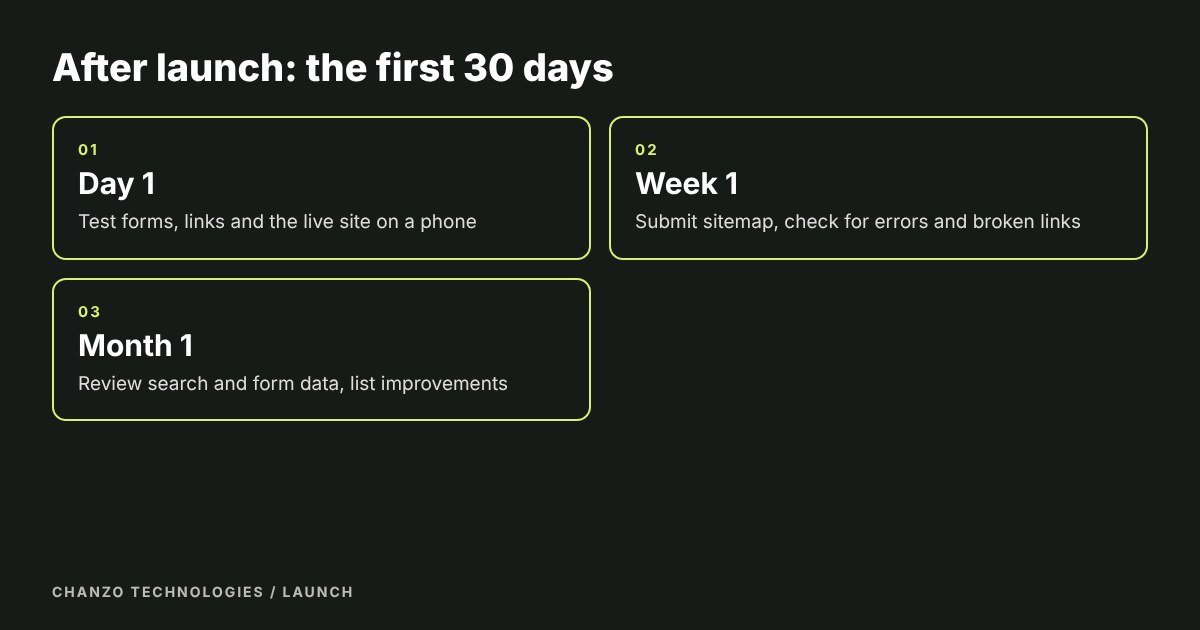
- Day 1: test every form, click every main link, and open the live site on a phone.
- Week 1: submit the sitemap, look for crawl errors, and fix broken links.
- Month 1: review which pages get visits and enquiries, then update the weakest ones.
- Every quarter: refresh content, check hours and prices, and ask recent customers for reviews.
Frequently asked questions
How long before launch should I run the checklist?
Start a week before launch so you have time to fix problems, then run it again on the final version, and once more on the live site.
Can I launch without everything ticked?
Some items are essential: working forms, correct contact details and a site that search engines can reach. Others, such as extra case studies, can follow within weeks. Decide which are which in advance.
What is the most common launch mistake?
Leaving the site hidden from search engines after the build, or forms that do not deliver. Test both on the live address.
Do I need a redesign checklist too?
Yes, with one extra step: map every old page address to its new one with redirects, so you keep your visitors and your search visibility.
Who should do the launch checks?
Ideally someone other than the person who built the site, such as a colleague or a friend who can try it on their own phone. Fresh eyes find the problems you stopped seeing.
Need a hand?
Chanzo Technologies is a small business digital agency in Burlington. We build, launch and look after websites. Get in touch if you would like a second pair of eyes on yours before it goes live.